

Explore WATI webhook events, payload examples, and the available BSUID event variants.
BSUID Webhook Events: In addition to the standard webhook events listed below, BSUID-first versions are available for supported events. These usebsuidas the primary identifier (always present) whilewaIdbecomes optional. See BSUID & Target Format for details.
Wati supports webhooks that can alert you of the following via callback URLs.
- Messages received
- Messages sent (Template & Session)
- Status of the messages sent (Sent/Delivered/read)
These functionalities are currently available through the Wati plan.
How to add a Webhook to Wati?
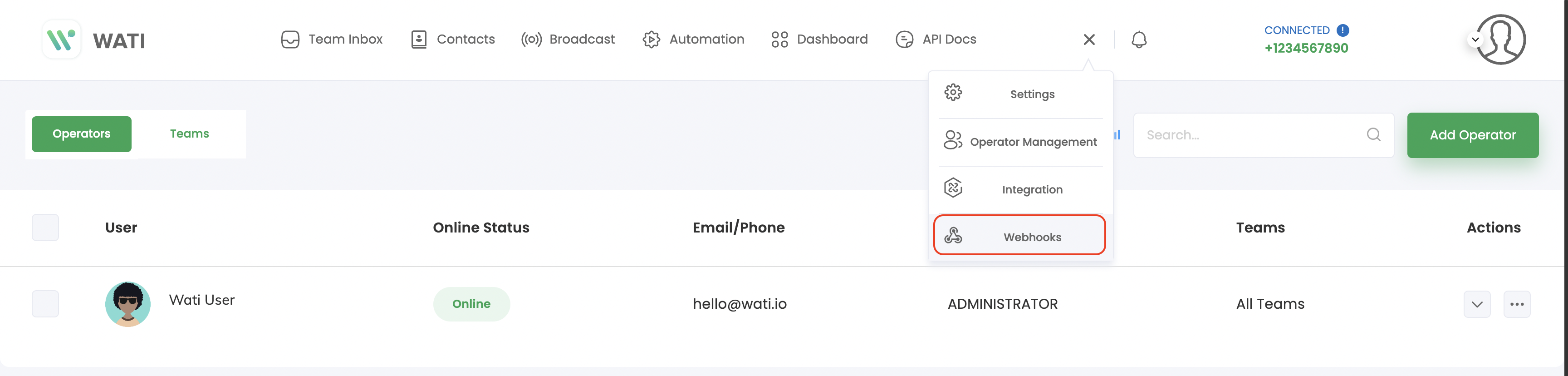
- Click on 'Webhooks' on the top navigation on Wati Dashboard
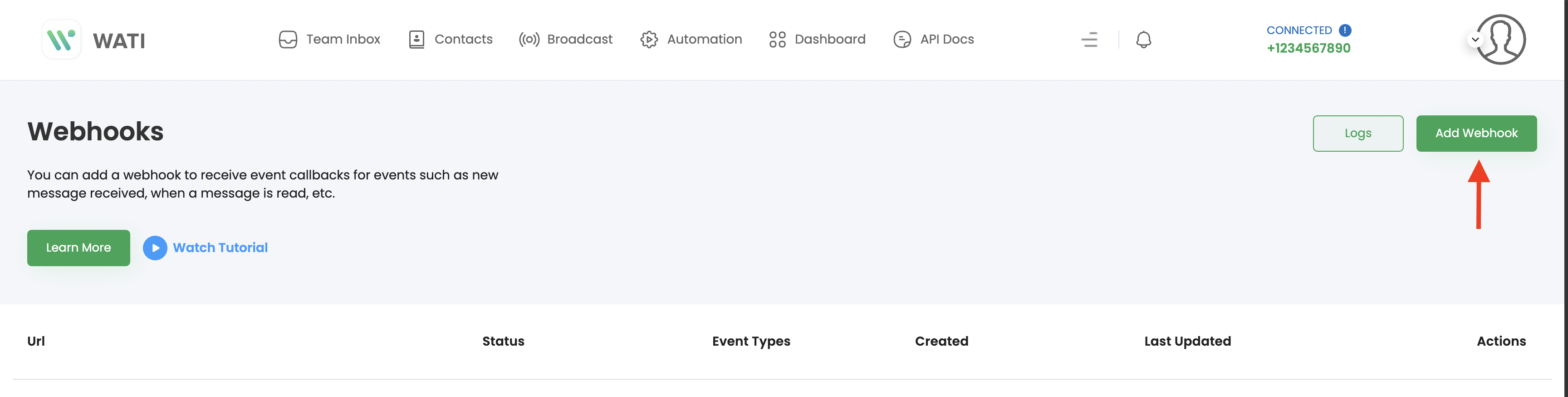
- Click on 'Add Webhook'
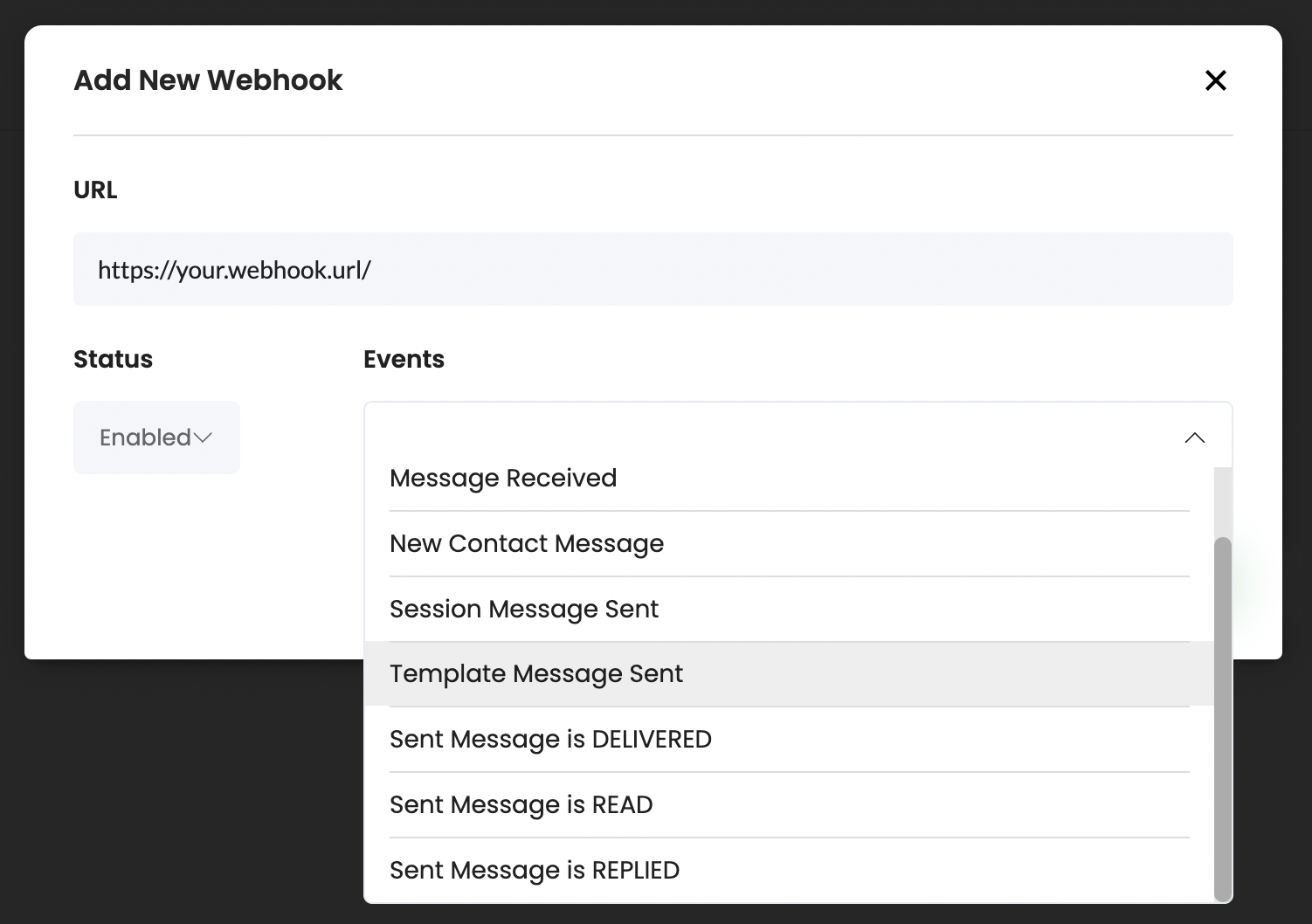
- Enter the full webhook URL, set the status as 'Enabled', and choose the events you would like to capture with this webhook.
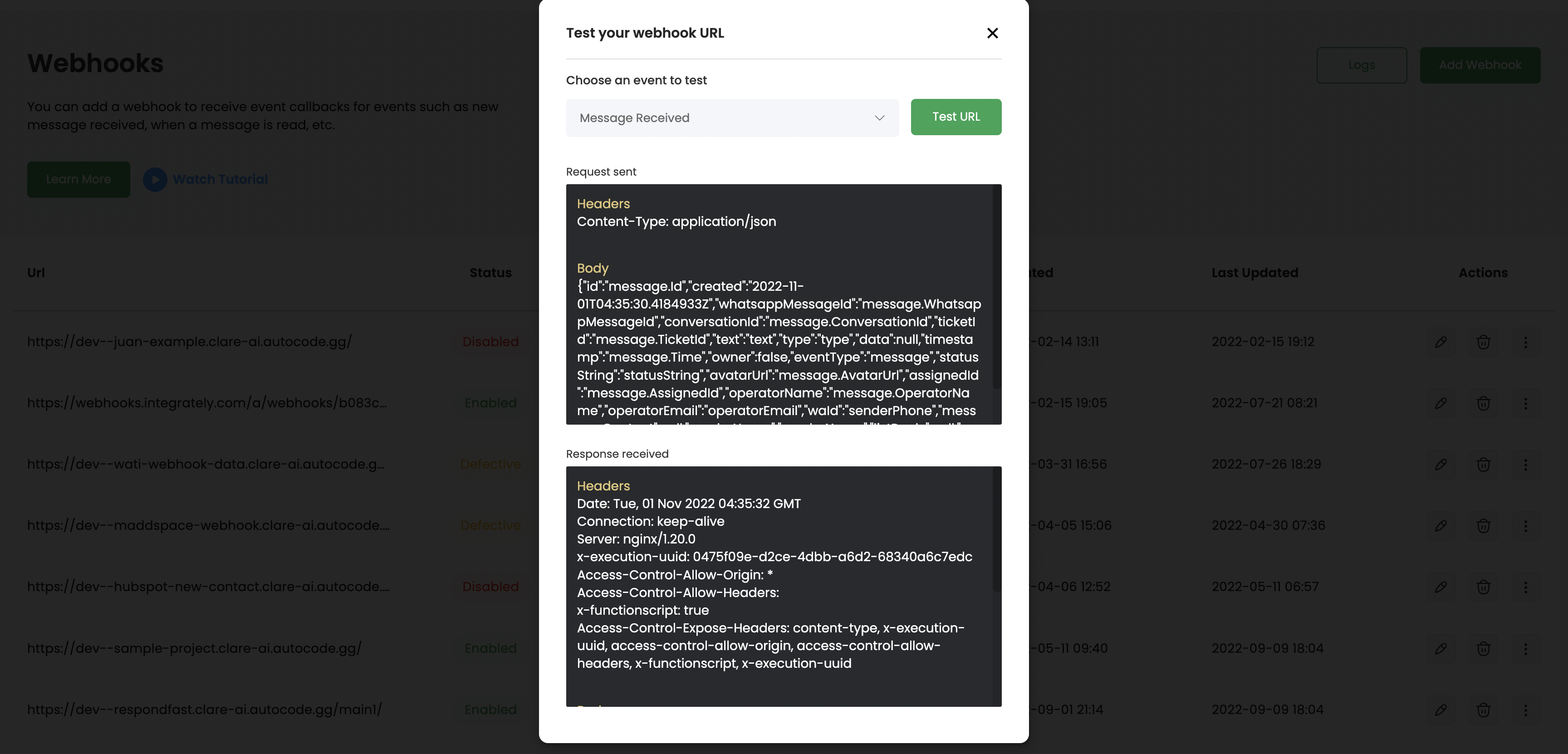
- Once the webhook is added, use the Trigger sample callback option to test the connection
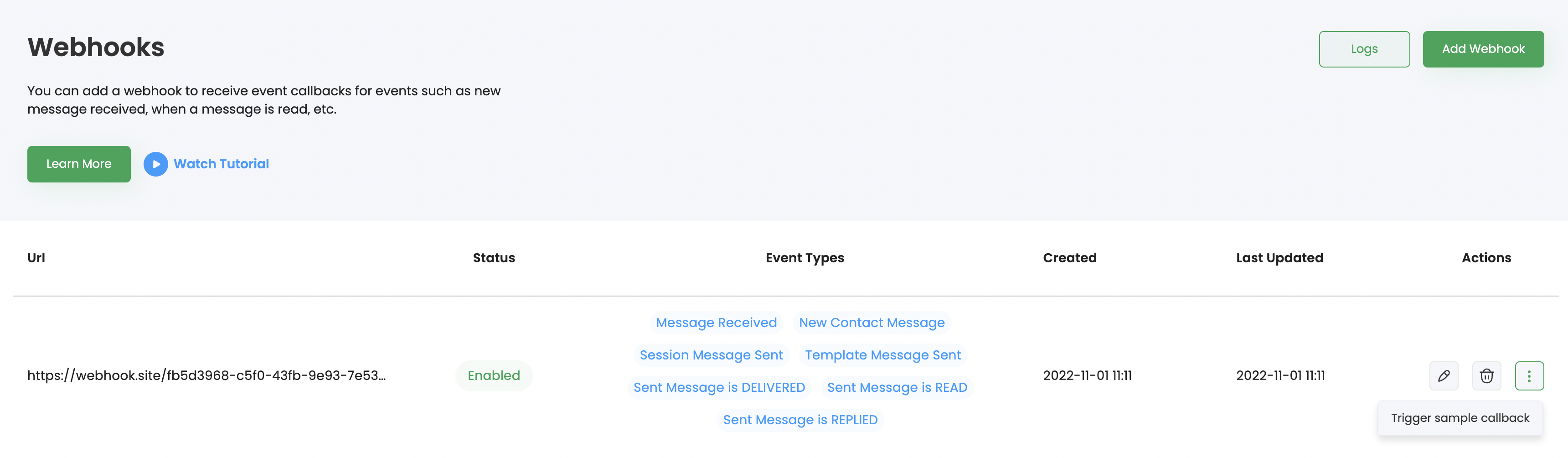
- Whenever an event is triggered, the respective callback is sent to your webhook URL with a sample payload
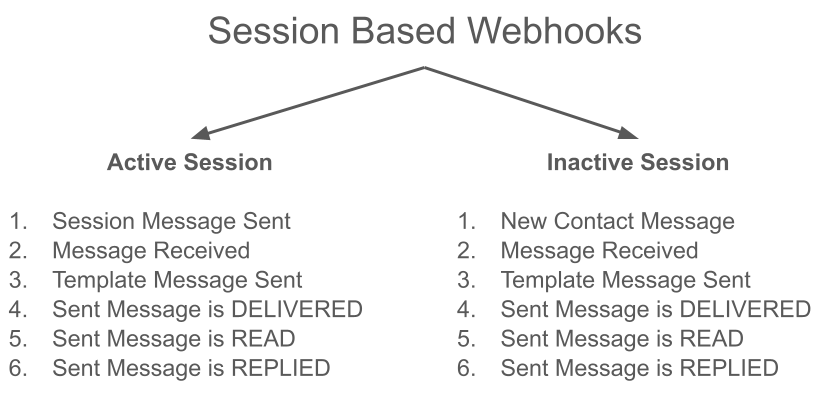
Session based Webhooks:
The WhatsApp Business API conversations are measured in 24-hour increments, or "sessions", that start whenever the first message from a business is delivered. The first message can be initiated by the company (business-initiated) or a business reply within 24 hours of a user message (user-initiated).
Active Session: A session where the business and user have sent each other at least 1 message is considered an Active session e.g., a business sent a template message to a user and the user responded.
Inactive session: A session where only one message was sent from one party and the other hasn't responded yet is considered an Inactive session e.g., a business sent a template message to a user and the user hasn't responded.
The callbacks sent via webhooks depend on whether a conversation/session is active or not.
Note: When Wati sends events to the webhook, we will expect a 200 response to acknowledge the event was received. If the webhook provided cannot respond with a 200 response code, the same message will be retried at a later time (up to 144 attempts). The message will not be sent after those attempts. The retry jobs (which can contain multiple previously failed messages) run in 10-minute intervals.
If the webhook has more than 100 consecutive failed jobs, it will be considered Defective and you shall receive an email alert about this.
If you want to learn how to track Template Messages using Webhooks: https://support.wati.io/l/en/article/uqshdvgsuv-how-to-track-template-messages-using-webhooks